

Bringing seamless, secure digital payments to more consumers
Visa Pay enables financial institutions to deliver intuitive wallet capabilities to their customers, and is expanding across the region following its successful launch in Afghanistan.
HesabPay brings free Visa cards to Afghanistan
HesabPay, the leading EMI and first financial institution to issue virtual Visa cards in Afghanistan, brings a free Visa virtual card to users across the country.
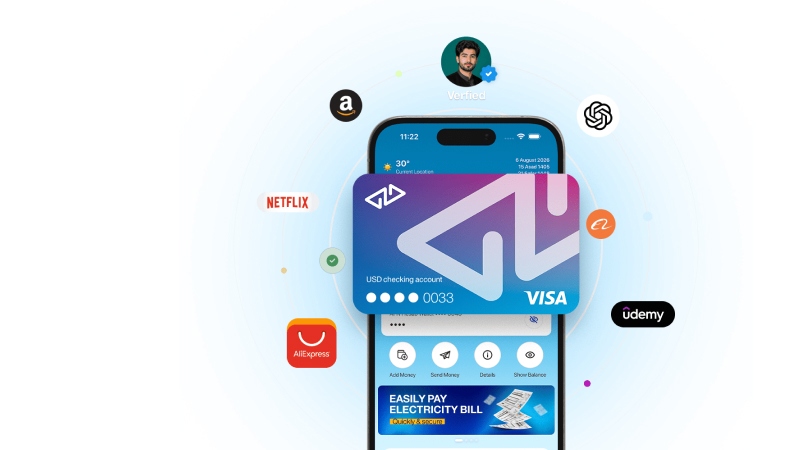
Connecting HesabPay customers to more ways to pay
HesabPay’s Visa virtual card enables eligible customers in Afghanistan to use funds held in their HesabPay accounts for purchases online and wherever Visa is accepted.
Turning digital balances into spending power
Customers can use their virtual card for everyday purchases, online shopping, travel and cross-border payments, giving them more ways to use the money held in their HesabPay account.
Expanding access to digital commerce
The launch helps make digital money more practical for everyday use, reducing the need for customers to withdraw their funds before making purchases.
Download the HesabPay app:



Afghanistan

Send & receive money

Free virtual card

Pay online
Banks
FAQ
General Visa Pay
-
-
Visa Pay is available as a standalone mobile SDK that service providers such as banks & fintechs can embed in their mobile apps.
-
-
Visa Pay allows customers to receive a digital card, send money to any enrolled mobile number, and make payments online.
-
-
If Visa Pay is offered by your service provider, follow the registration and activation process available within its application.
-
-
Not necessarily. Eligibility and account requirements depend on the service provider offering Visa Pay.
-
-
You can top up your balance through any Visa card, or you can check any other funding methods depending on your service provider. Check the options available within the application.
-
-
Yes. Transaction and usage limits may apply and can vary depending on the service provider or card holder preferences.
-
-
Never share your PIN, password, OTP, CVV or other security credentials with anyone.
-
-
Check your available balance, CVV and confirm that the transaction details are correct. If the transaction continues to be declined, contact your service provider for assistance.
-
-
Contact the service provider through which you access Visa Pay for assistance with your account or transactions.
E-commerce Transactions
-
Yes. Visa Pay can be used for supported online purchases where Visa is accepted, subject to applicable merchant, market and transaction restrictions.
-
At checkout, select Visa as your payment method and enter the required Visa Pay card details. Complete any additional verification requested to confirm the payment.
-
Your available Visa Pay card details can be accessed through the application provided by your service provider.
Person-to-Person Payments (P2P)
-
Where supported by your service provider, Visa Pay can be used to send money to other eligible users.
-
Select Send Money, choose or enter the recipient, enter the amount, review the transaction details and confirm the payment.
-
Depending on the options available through your service provider, you may be able to select a recipient using details such as their contact’s name, phone number, Visa Pay ID or QR code.
-
Where P2P payments are enabled, eligible users can receive money through Visa Pay.
-
Yes. Transaction limits may apply and can vary depending on the service provider and market.
-
Yes, where available depending on the service provider and market.
-
Contact your service provider as soon as possible for assistance. Always check the recipient's details carefully before confirming a transfer.
Tap to Pay
-
Tap to Pay allows eligible customers to make contactless payments using an NFC-enabled mobile device at a compatible point-of-sale terminal.
-
You need an eligible NFC-enabled mobile device, an activated Visa Pay service and a credential enabled for Tap to Pay. Availability depends on your service provider, device and market.
-
At a compatible contactless terminal, unlock your eligible device if required and hold it close to the contactless symbol until the payment is confirmed.
-
Tap to Pay can be used at supported merchant locations with compatible contactless point-of-sale terminals, subject to applicable restrictions.
-
Tap to Pay uses tokenized payment information rather than exposing the underlying credential during the contactless transaction. You should continue to protect your device, PIN, password and other security credentials.
-
Confirm that NFC is enabled, your device and credential are eligible, and the terminal supports contactless payments. If the issue continues, contact your service provider.